
Who this is for and what it does
Interpreters who are offered scheduled appointments. When an appointment is offered to you, you can take it or turn it down. Several interpreters may be offered the same appointment, and the first to accept gets it.
Steps
Accept or decline
Select Appointments in the sidebar, or select the bell at the top of the sidebar and open the notification.
Find the appointment offered to you. You can answer from its row, or open it to read the details first.

Select Accept to take it, or Decline to turn it down. Declining asks for no reason.
Withdraw from an appointment you accepted
Open the appointment from Appointments.
Select Withdraw.
Choose a Reason: Schedule conflict, Personal emergency, Unable to travel, or Other. For Other, describe the reason.
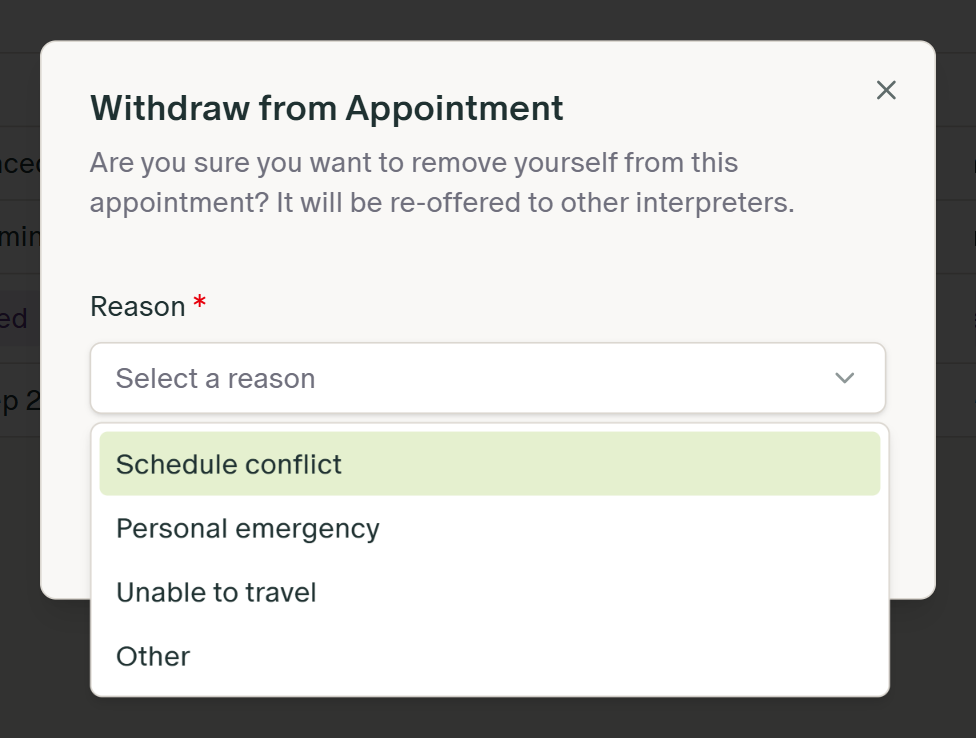
Select Yes, Withdraw. The appointment is offered to other interpreters.
What you will see
| Message | What it means |
|---|---|
| Invitation accepted: "You have been confirmed for this appointment." | You are booked. It now shows Confirmed in your list. |
| Invitation declined | You turned it down. It leaves your list and cannot be taken back. |
| Slot no longer available | Another interpreter accepted the last open seat before you. |
| Already confirmed | You were already booked on this appointment. |
Things that most often look wrong, and why:
"Interpreter has a conflicting appointment during this time". You are already booked at that time.
"This appointment conflicts with another on-site appointment on your schedule." The two locations are too far apart to travel between in the time available.
"This interpreter is on the client exclusion list". This client cannot be served by you. Contact your coordination team if you think this is wrong.
"This invitation is no longer active" or "Invitation Expired". The offer has closed, usually because someone else accepted it.
There is no Withdraw button. The appointment has already started, or it is an on-demand call. Contact your coordination team at interpreter@piedmontglobal.com.
I accepted one date of a recurring appointment. Each date is offered and accepted on its own. Accepting one date does not book you on the others.
Available since March 2026
Last updated 14 October 2026