
Who this is for and what it does
Interpreters checking the calls they have taken, for example how long a call lasted or how it was rated.
Steps
Select Call Logs in the sidebar.
Choose On Demand or Scheduled.
Narrow the list with Search, Filter by Date, Communication Type (Video or Audio) and Status (Completed or Cancelled).
Select an Appointment ID to open that appointment in a new tab.
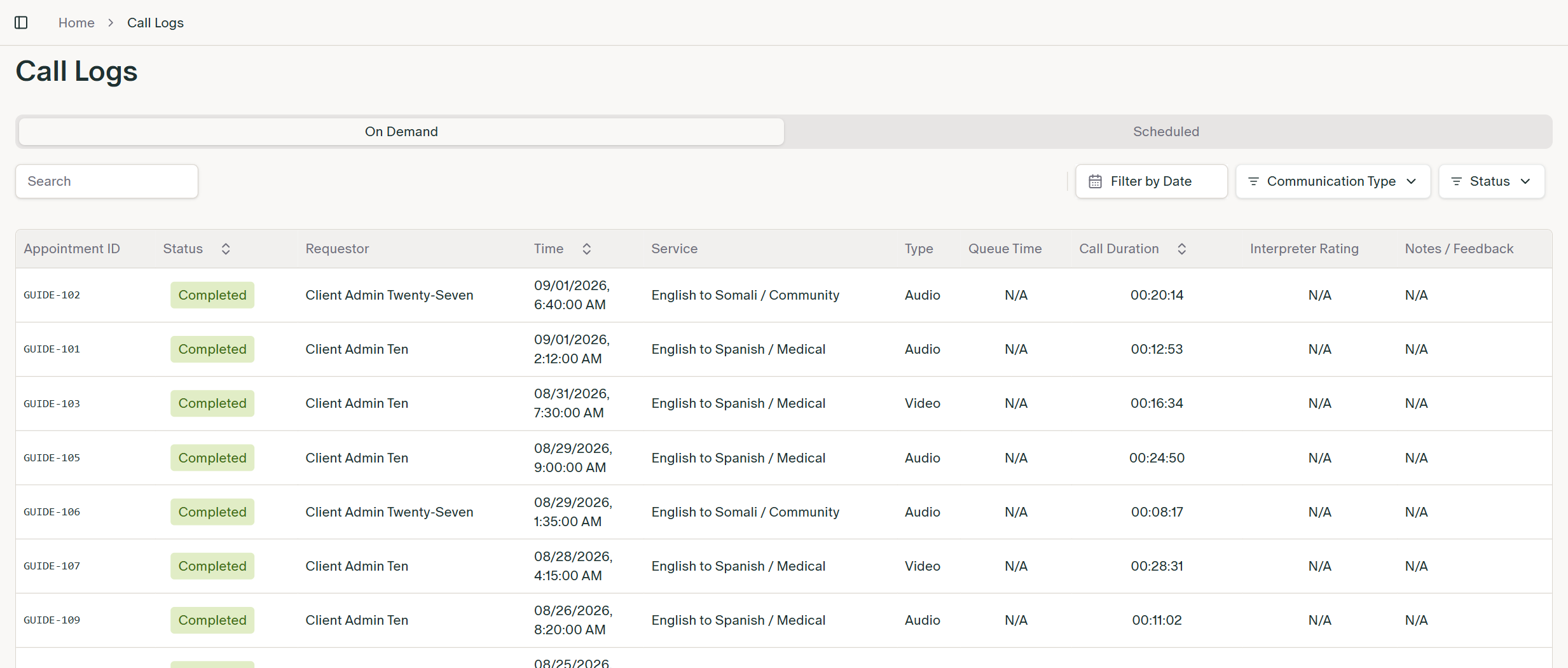
What you will see
On Demand shows each call's Status, Requestor, Time, Service, Type, Queue Time, Call Duration, Interpreter Rating and Notes / Feedback.
Scheduled shows Status, Requestor, Time, Service, Type, when the requestor and you joined, Scheduled Duration, Call Duration and Interpreter Rating.
Things that most often look wrong, and why:
Call Duration reads "Processing". The call has just ended and is still being finalised. Check again shortly.
"No on-demand calls found" or "No scheduled calls found". No calls match your filters. Widen the date range or clear the filters.
A rating or a note reads "N/A". None was left for that call.
Available since March 2026
Last updated 16 October 2026